
GridoraShopify ⇄ Airtable, with a review step
Edit your Shopify store in Airtable. Approve every change.
Gridora copies your store into an Airtable base and keeps it in sync. Edit products, prices and SEO in Airtable, then approve each change before it reaches your store.
Free plan available
Your store in Airtable, with you in control
Copy 16 kinds of store data into Airtable, edit the fields you choose, and approve every change before Shopify sees it.
16 data types
Products, orders, customers and metafields on every plan, and on paid plans much more of your store, each in its own table.
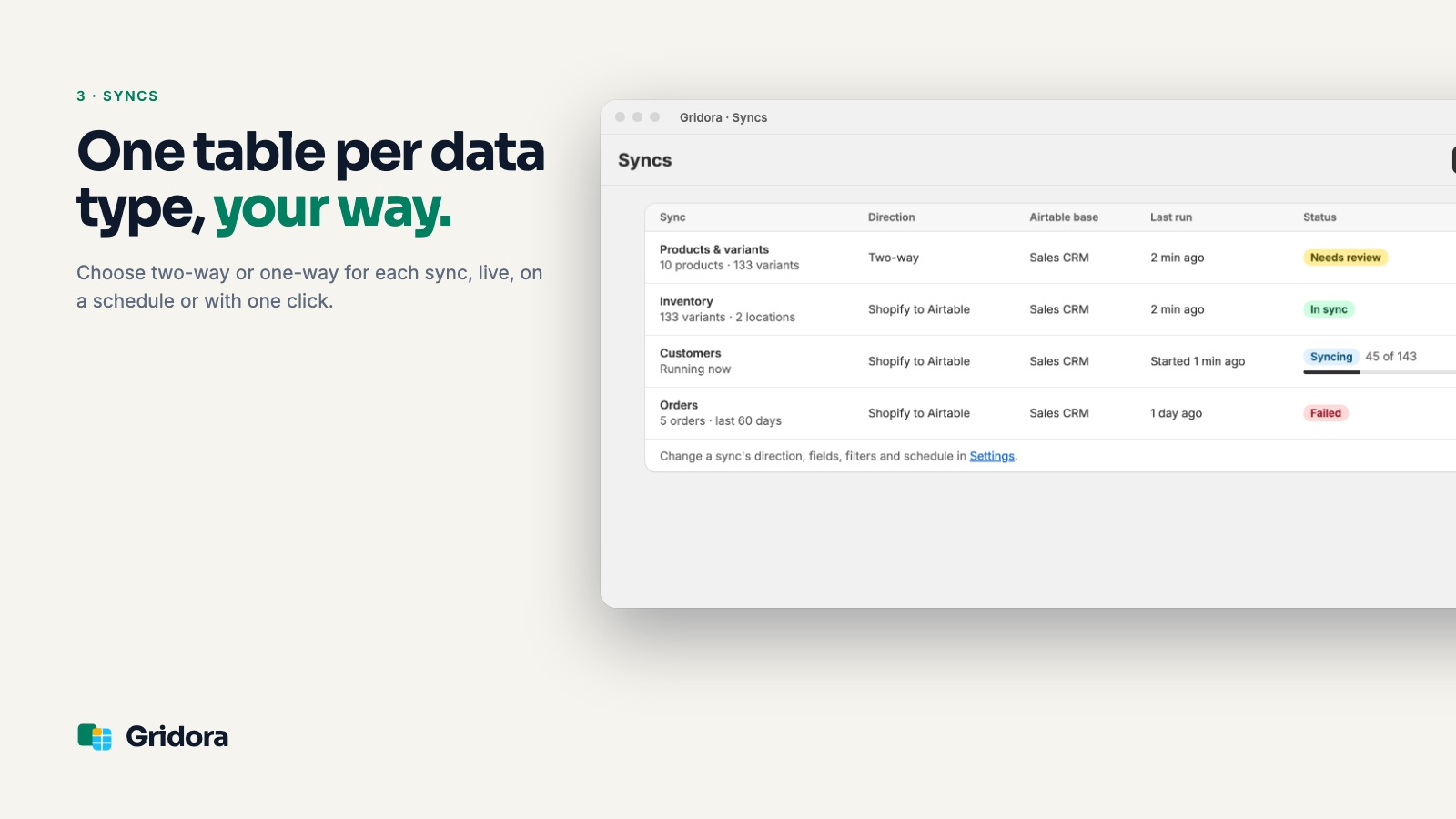
Two-way sync, field by field
Choose which fields Airtable may change. Fields Shopify sets, such as Created, stay one-way.
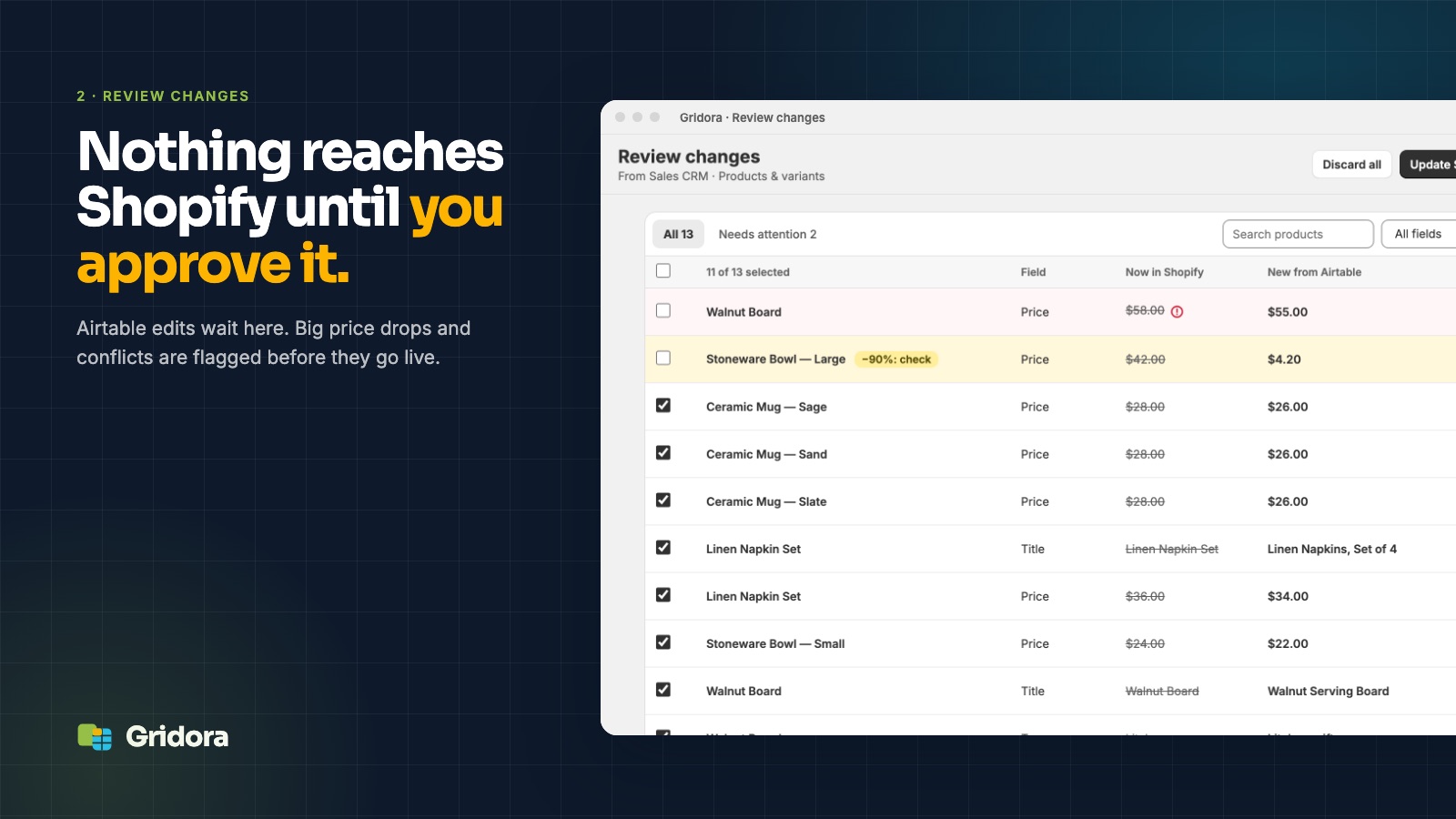
Review changes before they go live
Every Airtable edit waits on Review changes, showing the value in Shopify now and the new one. You approve it or keep the Shopify value.
7-day undo
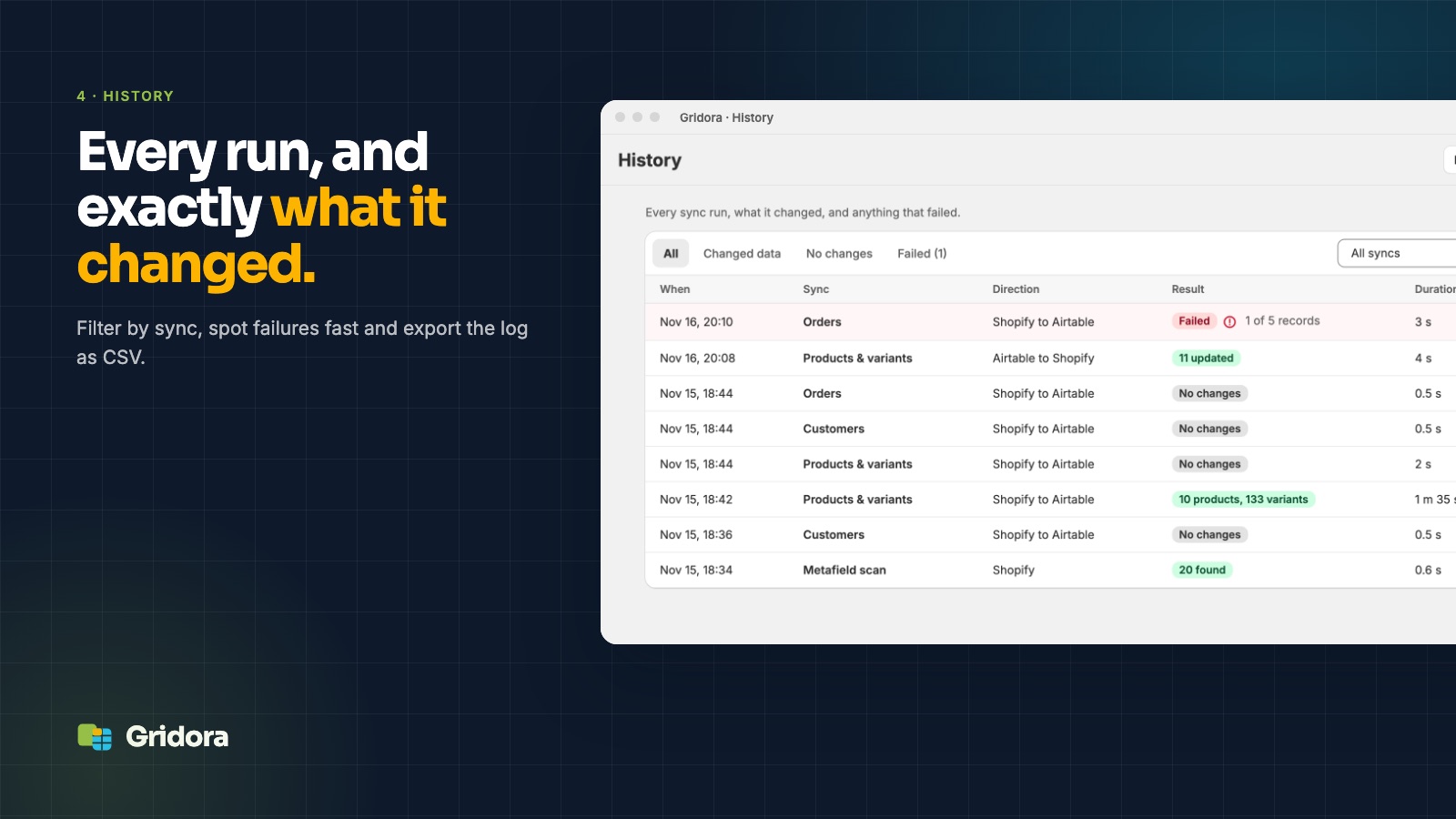
Every update Gridora makes in Shopify is in History, and Undo change puts the old value back for 7 days.
Live, scheduled or on a click
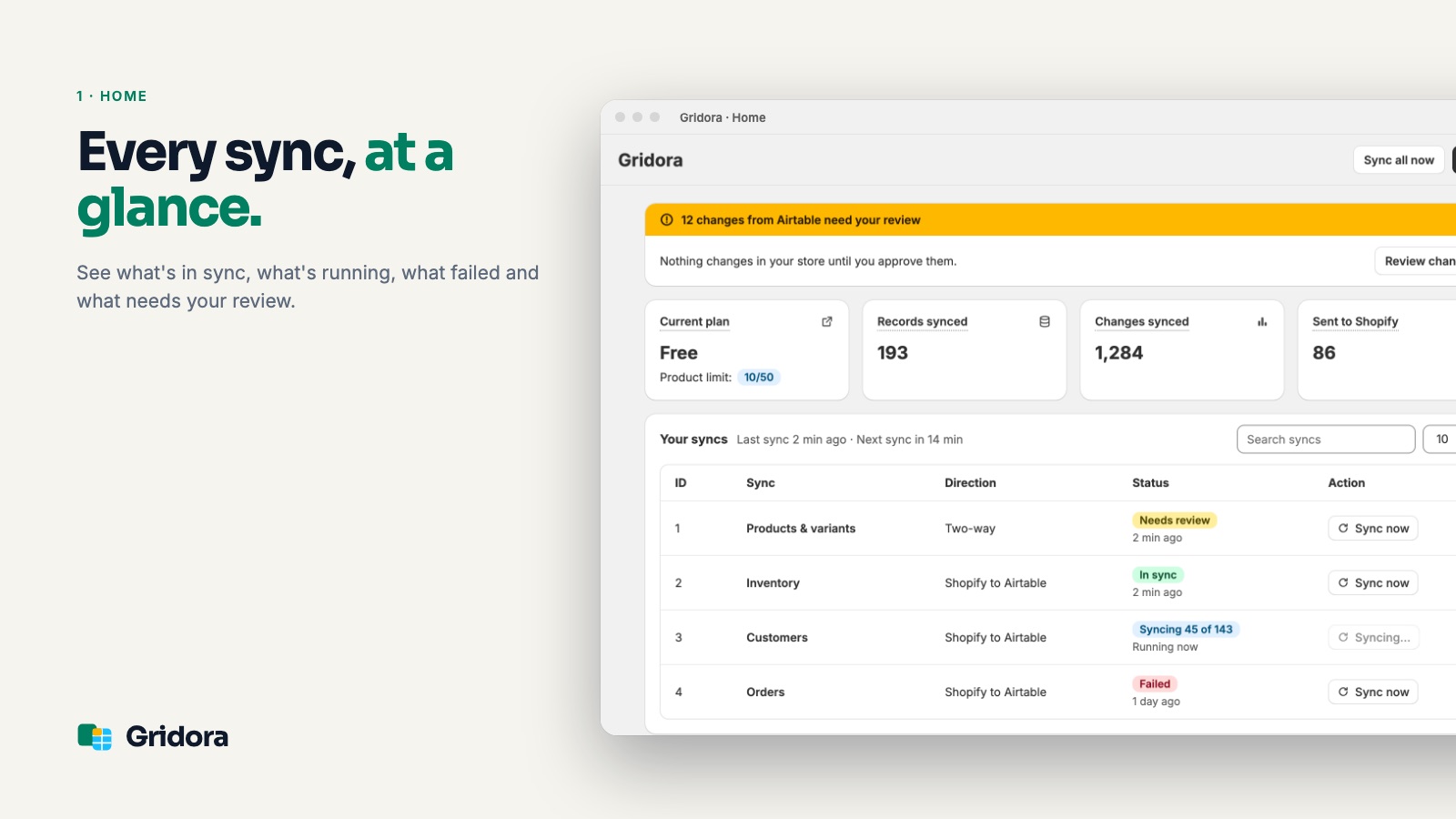
Sync in real time where Shopify reports changes, every 15 minutes, hourly or daily, or when you click Sync now.
Issues, history and status
A record that can’t sync is listed with what went wrong, and many issues fix in one click. Every run is in History, with a CSV export.
Real people, and a free setup call
Book a free 20-minute call and we connect Airtable and map your fields with you. On Premium, our team builds your base and its views.
From install to your first review
Step 1: Install Gridora
Add the app to your store from the Shopify App Store.
Step 2: Connect Airtable
Sign in to Airtable and pick the bases Gridora may use. Let it create a new base, or use one you have.
Step 3: Choose what to sync
Tick the data you want and click Start copying. Each kind of data gets its own table.
Step 4: Edit and approve
Turn on two-way for the fields you want to edit in Airtable, then approve each change on Review changes.
Plans for every catalog
Start on Free, or try any paid plan free for 14 days. Billed by Shopify. Changing plans never deletes anything in Airtable.
Free
50 products, 50 orders and 50 customers a month
- Products, orders, customers and metafields, every field
- Shopify to Airtable when you click Sync now
- Issues, history and status page
- Email support
Starter
per month
per year
or $149.90 a year (save 17%)or $14.99 a month
1,500 products, 3,000 orders and 2,000 customers a month
- Two-way sync with direction set per data type and per field
- Review before Shopify changes, conflict rules and 7-day undo
- Real-time where Shopify reports changes, or 15-minute, hourly or daily schedules
- Collections, pages, blogs and SEO with redirects
- Filters and trigger links
- Data check every 12 hours
- Live chat
14‑day free trial
Install on ShopifyRecommended
Premium
per month
per year
or $299.90 a year (save 17%)or $29.99 a month
10,000 products, unlimited orders and customers
- Everything in Starter, plus:
- Inventory by location with transfers
- Refunds, returns, discounts, payouts and transactions
- B2B companies, market prices and payment terms
- Translations, files and images
- Auto-approve rules and sync priority
- Data check every 6 hours
- We build your base and its views for you
14‑day free trial
Install on ShopifyEnterprise
per month
per year
or $1,490 a year (save 17%)or $149 a month
Unlimited records
- Everything in Premium, plus:
- Metaobjects
- Several Airtable bases
- Data check every hour
- Priority support with a named contact
14‑day free trial
Install on Shopify
Prices in USD, billed by Shopify. Yearly billing costs ten times the monthly price. Monthly limits reset on the 1st (UTC); other data types aren’t limited. A free 20-minute setup call is included on every plan.
Frequently asked questions
What can Gridora sync?
16 kinds of store data, each in its own Airtable table: products, inventory, collections, metafields, metaobjects, files, orders, customers, refunds, discounts, payouts, B2B companies, pages, blogs, SEO and redirects, and translations. Free covers products, orders, customers and metafields; the plans list what each adds. Read the guide
Does an Airtable edit change my store straight away?
No. Edits to two-way fields wait on Review changes until you approve them. On Premium you can let trusted fields through with auto-approve rules, while big price drops, bulk edits and conflicts still wait. Read the guide
Can I undo a change?
Yes, on paid plans. Every update Gridora makes in Shopify is in History, and Undo change puts the old value back for 7 days. Read the guide
How often does Gridora sync?
On Free, when you click Sync now. From Starter, in real time where Shopify reports changes, or every 15 minutes, hourly or daily, and a data check catches anything missed. Read the guide
Do I need to set up tables in Airtable first?
No. Gridora can create a new base for you, or add its own tables to a base you already have. It never changes your other tables. Read the guide
I used SyncAir. Is Gridora a different app?
No. SyncAir was renamed Gridora. It’s the same app with the same App Store listing, and your data and settings carry over.
Is there a free plan?
Yes. Free includes 50 products, 50 orders and 50 customers a month. Starter, Premium and Enterprise each start with a 14‑day free trial. Read the guide
How is Gridora billed?
Through your Shopify bill, in USD, monthly or yearly. Yearly costs ten times the monthly price. Changing plans never deletes anything in Airtable.
What support is included?
Real people, Mon–Sat 8:00–22:00 (GMT+6), and a free 20-minute setup call on every plan. Paid plans add live chat; on Premium we build your base for you, and Enterprise gets priority support with a named contact.
What happens to my data if I uninstall?
Syncing stops when you uninstall, and the records already in Airtable stay in your base. Our privacy policy explains what we keep and how to have it deleted.
Edit your store in Airtable, safely
Install Gridora from the Shopify App Store. Start on Free, or try any paid plan free for 14 days.